Your repeat work, running on its own.
For Meta ads and GoHighLevel agencies.
Lead follow-up, client reports, morning checks. Built on tools you already own, live for a 50-client agency.




Fifty clients, read every morning, by one system.
Meta and GoHighLevel in, one screen and a briefed team out. Paid client build, in production on the agency’s own accounts. Hover a card to follow its path; click one to open the case study.Tap any card to open the case study.
- Every failure visibleA sync that crashes files a failure row, and an account that cannot be read shows as a named failure, never as a zero.
- 0 lead names kept outside GoHighLevelEach workflow drops the contact before it writes anything and keeps no run history. Counts reach the dashboard; names, phone numbers and messages stay in the CRM.
- A new lead is checked in secondsThe moment a lead lands in GoHighLevel, its address is checked against that client’s service area and the answer is written back on the contact.
The screen the team opens every morning
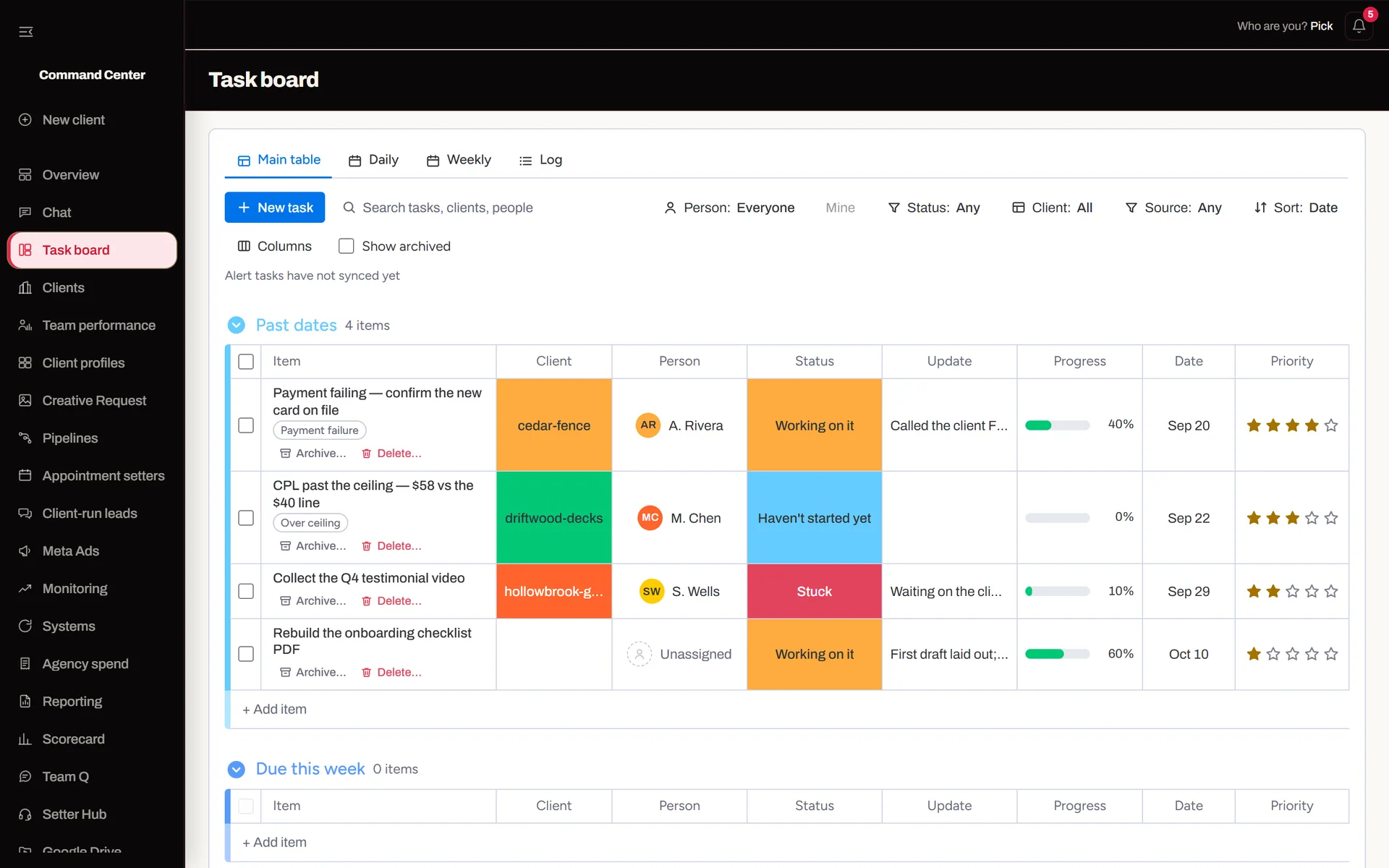
Flagship · Paid Client App
Agency Command Center: Meta Ads + GoHighLevel
Each client’s spend, billing, leads and speed to lead, from Meta and GoHighLevel, side by side. Built for an agency with about 50 home-service contractors. Every screenshot is sample data.
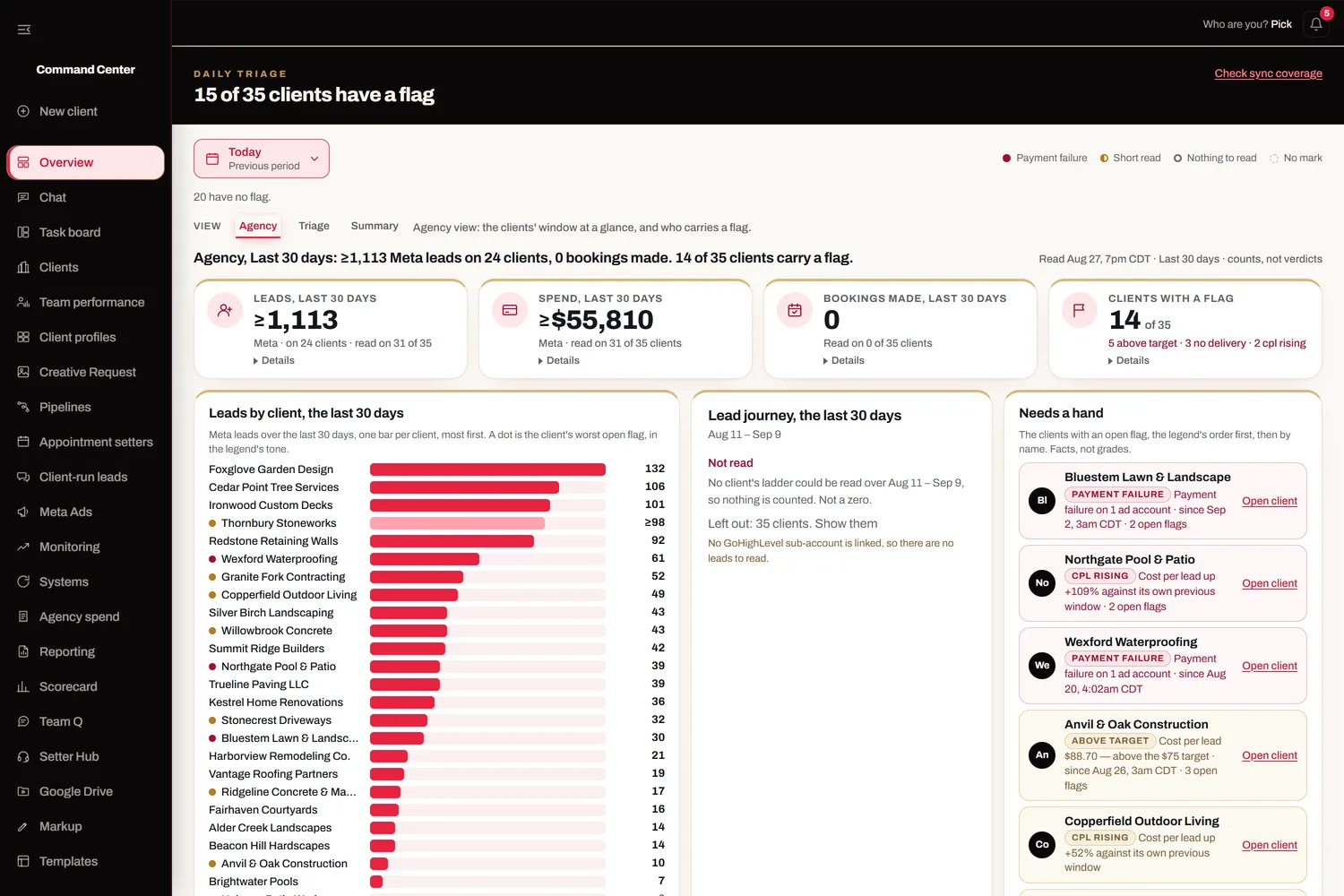
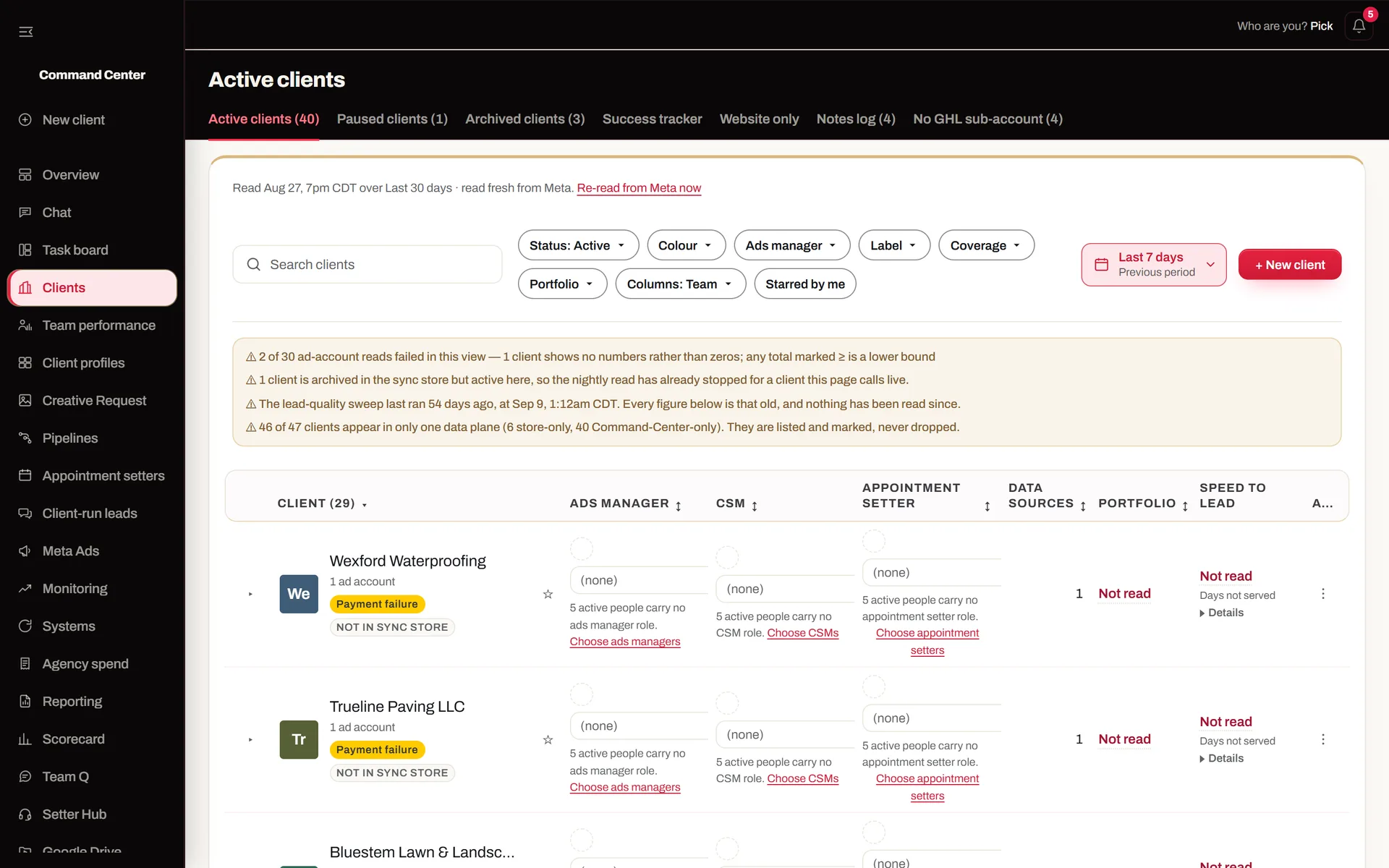
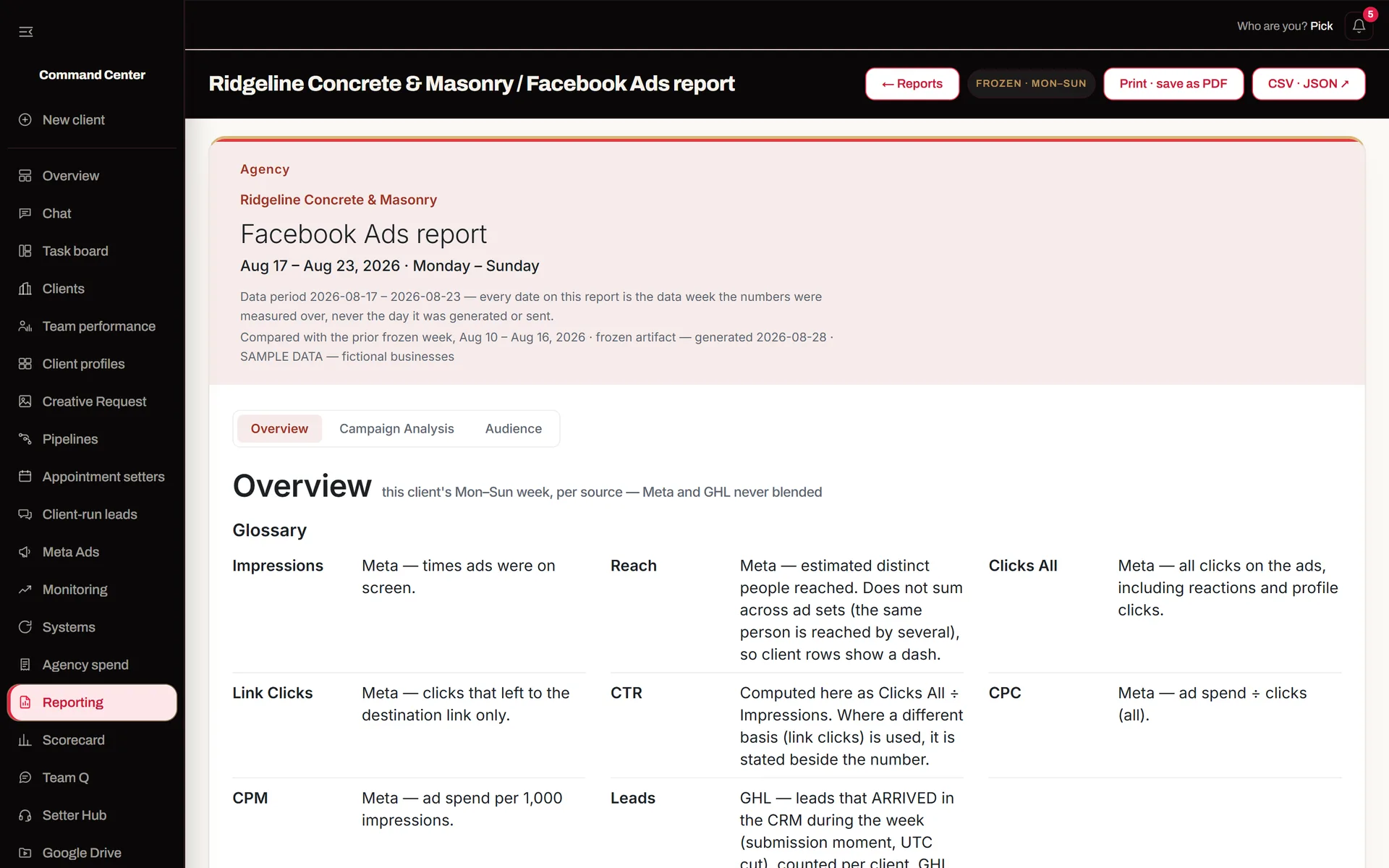
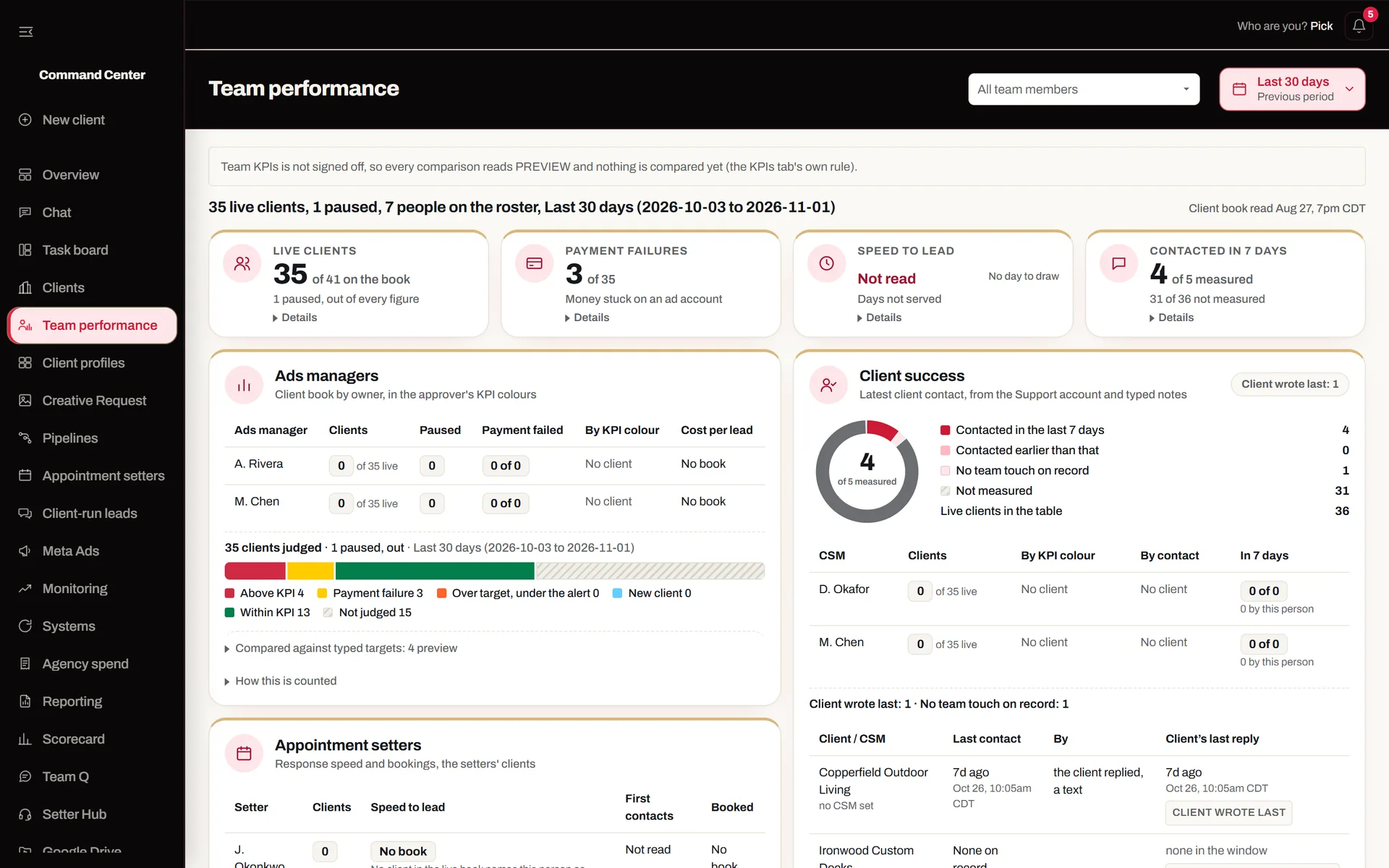
In Production Right Now
Counted on live systems. Not projections.
- Read-only, on accounts you ownMeta and GoHighLevel through your own API access. Nothing writes back without your OK.
- Alerts where your team already worksA chat channel, a direct message, a task on the board. Nobody has to remember to check.
- Documented for handoffExported workflows and a plain-English guide, so your team runs it without me.
What I Build
Start with the one that hurts most.
-
The whole client book on one screen
Spend, billing, leads and speed to lead for every client, each morning. Colour marks facts like a failed card or zero delivery. Your targets stay yours.
See the command center → -
Your tools talking to each other, unattended
Meta, GoHighLevel, sheets, calendars, your CRM: n8n workflows that read and post on their own, log every run, and say so when a read fails.
See the workflows → -
The app your team runs the week from
Team chat, tasks and report sheets next to the numbers. Auth, database and background jobs on Next.js and Supabase.
See the apps → -
AI that answers, with a person on the rest
Agents that read your documents and call your APIs, with a human check where it matters. Grounded in your data.
See the agents →
Also Shipped
Live links open the real build. Internal apps open the build story.
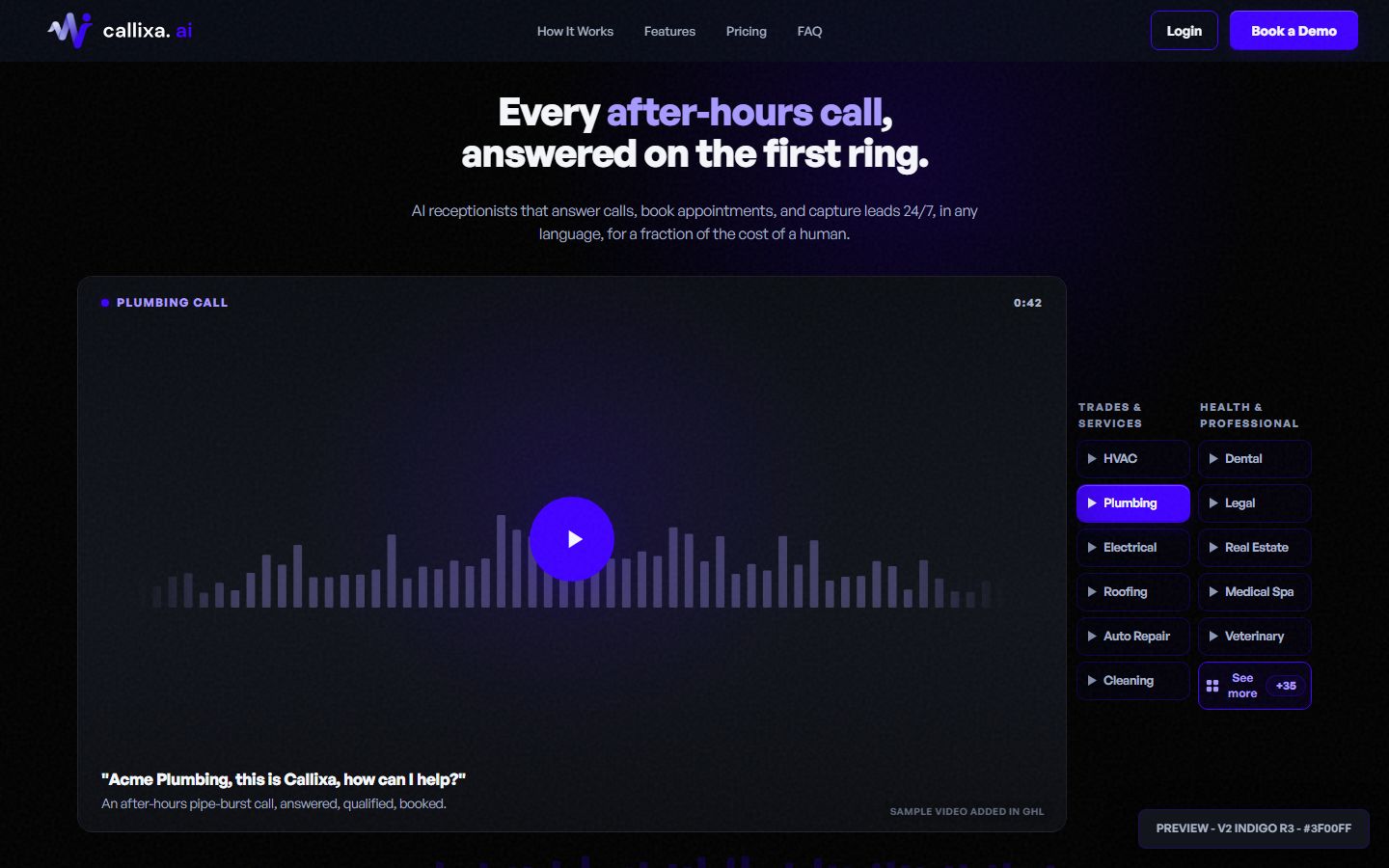
Callixa: AI Receptionist Landing Page
Landing page for a paid client. Seven review rounds, 45 languages, live on their own Vercel.
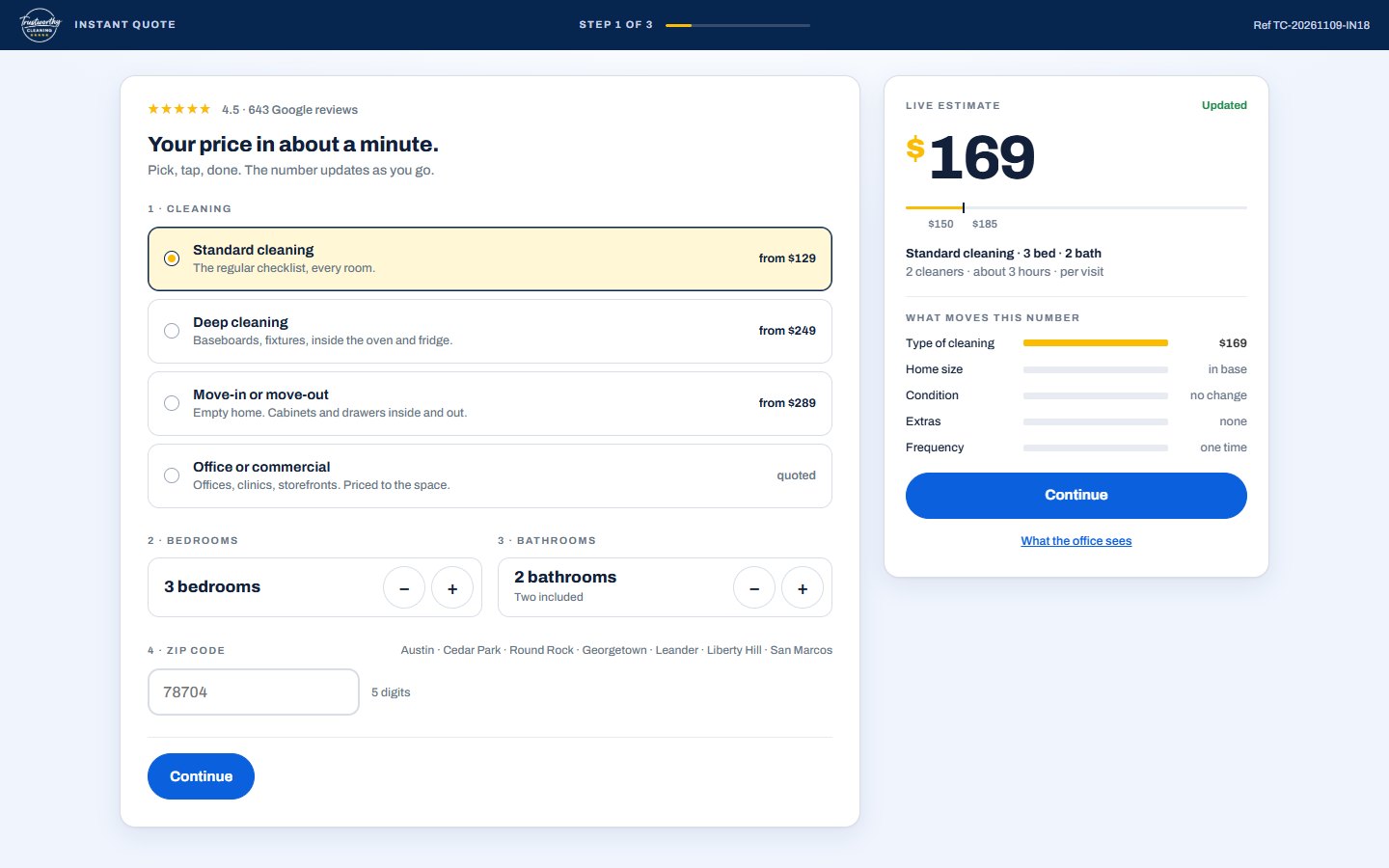
Trustworthy Cleaning: Instant Quote
Concept build for a real Austin cleaning company. The price moves with every answer; the office view shows the lead score and the exact GoHighLevel payload.
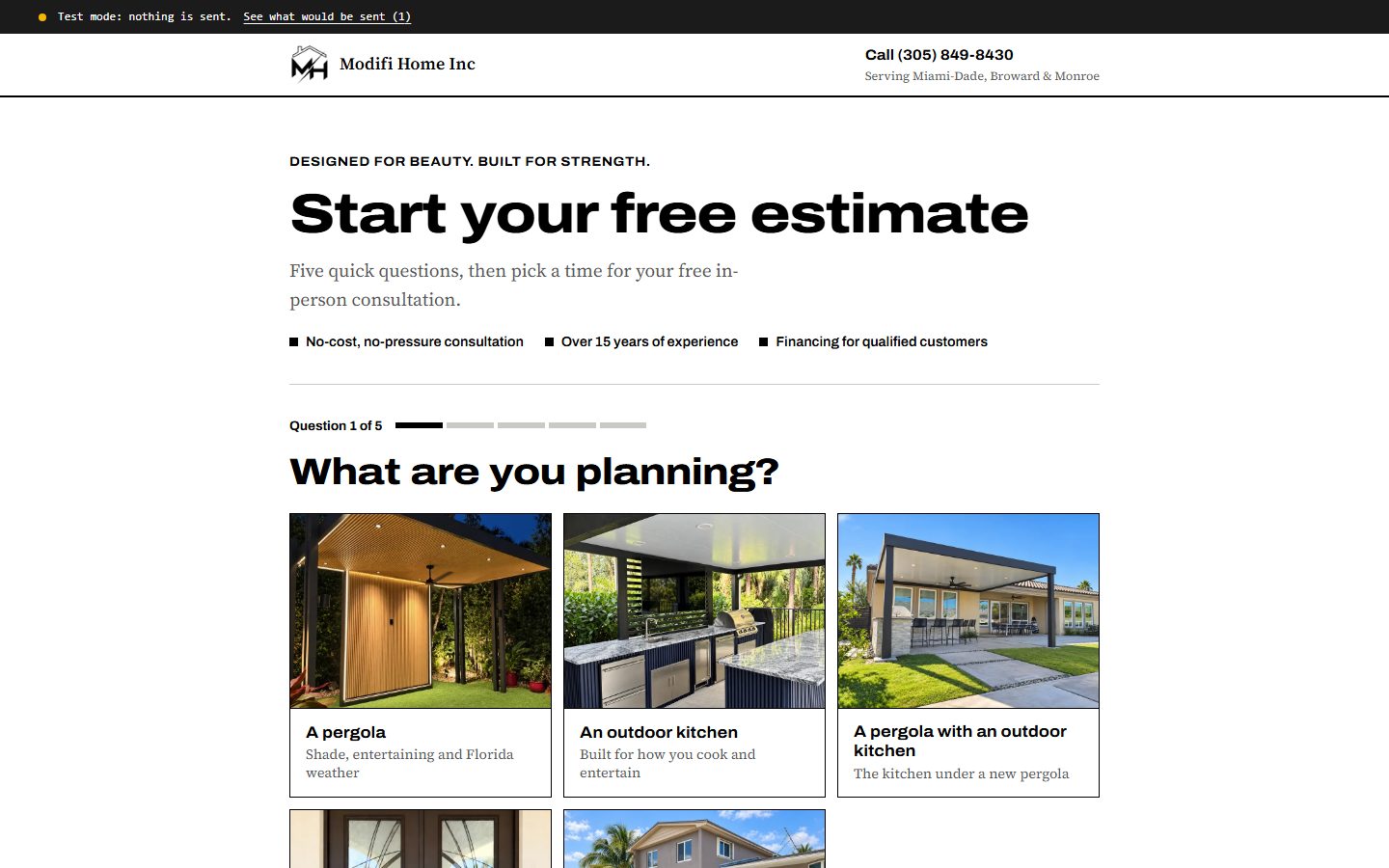
Modifi Home: Quiz Funnel into GoHighLevel
Sample build for a real Miami contractor. Five questions, a contact form, a time from the contractor's calendar, a confirmation page. It runs in test mode, so you can open the strip and see exactly what would be sent to GoHighLevel and Meta.

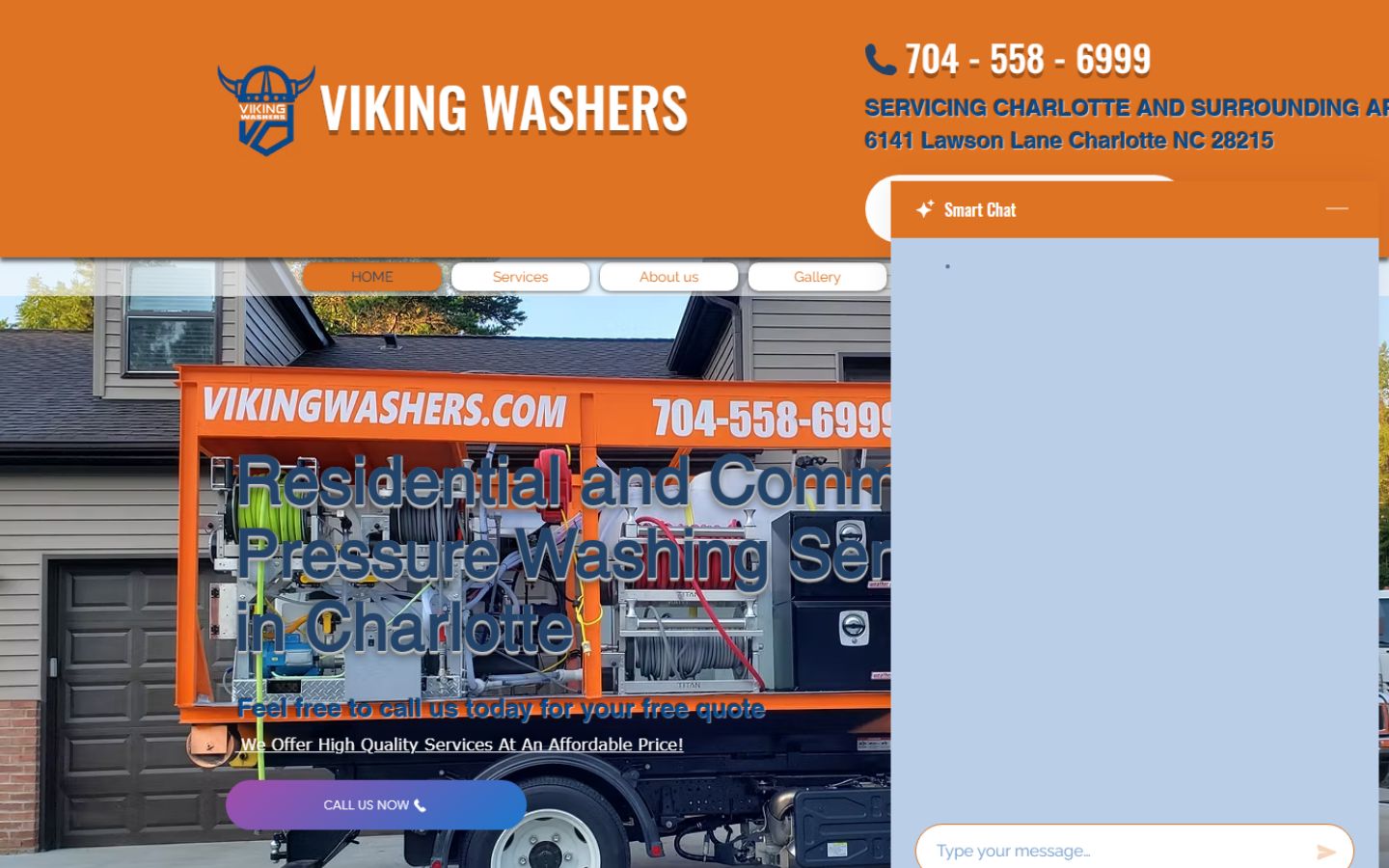
WebPulse: AI Redesign Engine
Finds home-service businesses with outdated sites and rebuilds the good leads. Drag the slider.
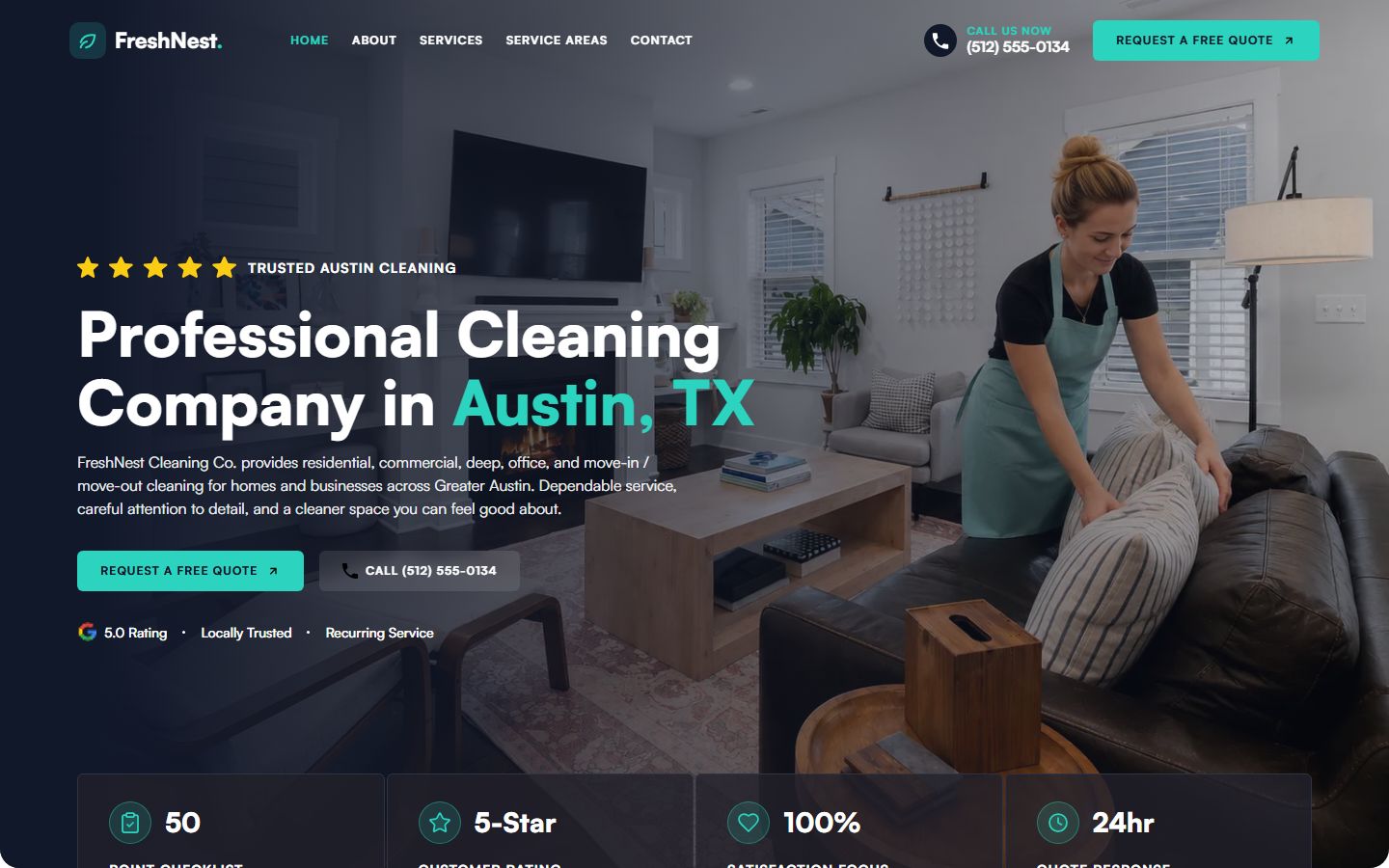
FreshNest: Cleaning Site + GHL Wiring
Cleaning-company site wired into GoHighLevel: quote form, booking, pipeline.
Production Workflow Library
n8n + AI workflows with their canvases: support agent, lead research, voice-note-to-quote, daily digests.
Browse the library →Process Maps
Seventeen SOP flowcharts for Meta-ads agencies and home-service contractors: the process mapped before the automation is built.
Open the maps →Fifty Clients. Fifty Tabs. Checked by Hand.
You find out on Friday
A card fails on Tuesday, and the first person to notice is usually the client, in Friday’s report.
Spend in one tool, leads in another
Meta has the spend. GoHighLevel has the leads. Cost per lead and speed to lead live in neither, so the report is built by hand and the misses slip through.
Reports that say success while the data is dead
One agency's stats feed had been dead for six and a half months. Every run still reported success. The reports kept going out.
All fixable. Build it once, make every failure visible, and it keeps running. The same goes for any task your team repeats by hand.
How I Work
Same four steps, every engagement. Written or on a call.
-
01
Map the manual work
A free call, or your task in writing. What your team does by hand today, what you run, what a system can take over.
-
02
Blueprint
A scoped proposal: what I build, what it costs to run per month, when it ships.
-
03
Build in the open
You review the real thing on live URLs. Feedback ships in fast rounds, often on the call.
-
04
Handoff that sticks
Working system, exported workflows, a plain-English guide. You own everything.

Who this is for.
Five seconds to know whether to keep reading.
✓A good fit
- Meta-ads agencies running GoHighLevel for home-service clients, ten to a hundred accounts.
- Service businesses with one task the team repeats every week: lead follow-up, client reporting, checks done by hand.
- Teams already on Meta, GoHighLevel, n8n, Sheets or Supabase. I build on what you own; nothing moves to a tool of mine.
- Owners who want failures visible, not reports that always say green.
×Not a fit
- You want more leads from ads. I don’t run ad campaigns; my work starts when a lead arrives: follow-up, routing, reporting.
- A chatbot that “does everything”. I automate reading, sorting, drafting and clear decisions, with a human on anything irreversible.
- Nothing exists yet: no tools, no leads, no process. Automation needs a task your team already does every week, so that comes first.
- You need it by Friday. A first version takes weeks; you get a realistic date on the call, before anything starts.
How pricing works.
No price list, because no two weekly tasks are the same. The method is always the same.
Four rules on every quote
- Three tiers, always. You pick the size; nothing is hidden in a single number.
- Build cost and run cost, separately. What I charge to build, and what it costs you per month to run: tools, API calls, hosting, in real figures.
- Real per-run numbers. Lead research about $0.15 per company. The scrape-score-rebuild engine about $8 per 1,000 leads.
- You own everything. Workflows, code, accounts and keys stay yours. No hourly meter on systems work.
Not ready for a call? Send the task.
Four lines is enough. I reply within one working day with whether it’s worth automating, what I’d build, and a rough cost.
What happens next
Your message lands in my inbox and on my phone the moment you send it. No list, no newsletter, no follow-up sequence. If the timing is wrong for your team, say so and I’ll check back only when you ask.
- Arrives in my inbox, with your email as reply-to
- Pings my phone at the same moment
- One reply within one working day, Philippines time
Questions I Get a Lot
We map the manual work and your stack. If it fits, you get a scoped proposal: what I'd build, what it costs to build and run, when it ships. No obligation.
Send the task in writing: what it is, how often it happens, which tools it lives in. I reply within one working day with whether it's worth automating, what I'd build, and a rough cost. If the timing is wrong for your team right now, say so and I'll check back when you ask, not before. Send it in writing →
Read-only, on accounts you own: a Meta system user scoped to reads, your GoHighLevel agency API, your own n8n and database. Nothing writes back. Any write needs your OK first.
Reading, sorting, drafting, extracting, choosing between clear options. Grounded in your data, with a human approving anything irreversible. I'll say when the answer is "don't automate this."
I quote both. Every build comes with real per-run numbers: lead research about $0.15 per company, the scrape-score-rebuild engine about $8 per 1,000 leads.
Both. Audit and untangle what you have, or build from zero. Rebuilding is the last resort.
The working system, exported workflow files, and a plain-English guide: what triggers it, what it needs, how to run it. Nothing is locked to me.
Yes. Projects, ongoing or full-time remote. Philippines (GMT+8), overlap hours around your timezone.
Available for remote work
Have one task your team repeats every week?
Lead follow-up, client reports, support emails, anything repetitive. Bring it to a free 30-minute call or send it in writing. I'll tell you honestly whether it's worth automating, what I'd build, and roughly what it costs. No prep needed.